> For the complete documentation index, see [llms.txt](https://support.portsip.com/llms.txt). Markdown versions of documentation pages are available by appending `.md` to page URLs; this page is available as [Markdown](https://support.portsip.com/portsip-communications-solution/configuring-sip-trunks/vonage-sip-trunk/configuring-outbound-and-inbound-calls.md).
# Configuring Outbound & Inbound Calls
You need to sign in to the PortSIP PBX web portal to create the outbound and inbound rules for making & receiving calls.
***
### Sign in to the PortSIP PBX Web Portal
To configure outbound and inbound call routing, you must first sign in to the PortSIP PBX Web Portal.
You can access a tenant in one of the following ways:
#### Option 1: Sign in as System Administrator
1. Sign in to the PortSIP PBX Web Portal as a **System Administrator**.
2. Navigate to **Tenants**.
3. Select the desired tenant and click **Manage** to switch to that tenant’s administration context.
#### Option 2: Sign in as Tenant Administrator
* Sign in directly as a **Tenant Administrator** to manage that tenant.
> ❗**Note**\
> For more information about tenant roles and access control, refer to [Tenant Management](/portsip-communications-solution/portsip-pbx-administration-guide/3-tenant-management.md).
***
### Configure Outbound Rules
Outbound Rules determine how outbound calls are routed and which trunk is used when users place calls.
#### Add an Outbound Rule
1. In the PortSIP PBX Web Portal, navigate to **Call Manager > Outbound Rules**.
2. Click **Add**.
3. Configure the following settings:
* **Name**\
Enter a descriptive name for the outbound rule.
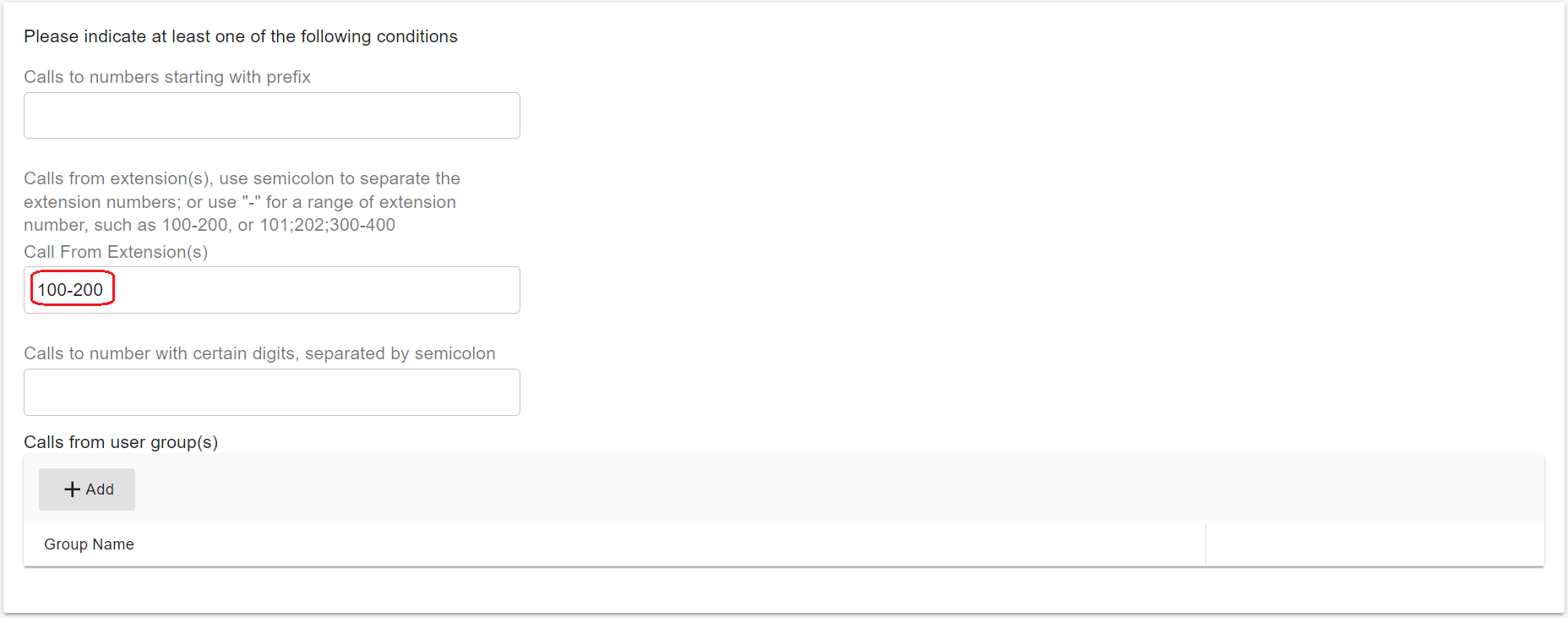
* **Apply this rule to the following calls**\
Define at least **one condition** (for example, number patterns or call types) that determines when this rule is applied.
#### Select the Trunk Route
1. Scroll to **Place outbound calls using the following trunk routes**.
2. Click the **Add (+)** icon.
3. Select the **Vonage trunk**, then save the outbound rule.
#### Number Format (Optional)
Depending on user dialing habits, you may need to modify the dialed number format before sending calls to the SIP trunk.
Common use cases include:
* Stripping leading digits
* Prepending a country code
**Example:**\
If users dial U.S. domestic numbers without the country code, you can configure the rule to **prepend `1`** to all outbound numbers so they are sent in the correct E.164 format.
> **Best Practice**\
> Ensure the final number format matches the requirements of your SIP trunk provider.
***
### Configure Inbound Rules
Inbound Rules define how incoming calls (DIDs/DDIs) are routed to extensions, ring groups, queues, or other destinations.
#### Add an Inbound Rule
1. Navigate to **Call Manager > Inbound Rules**.
2. Click **Add**.
3. Configure the following settings:
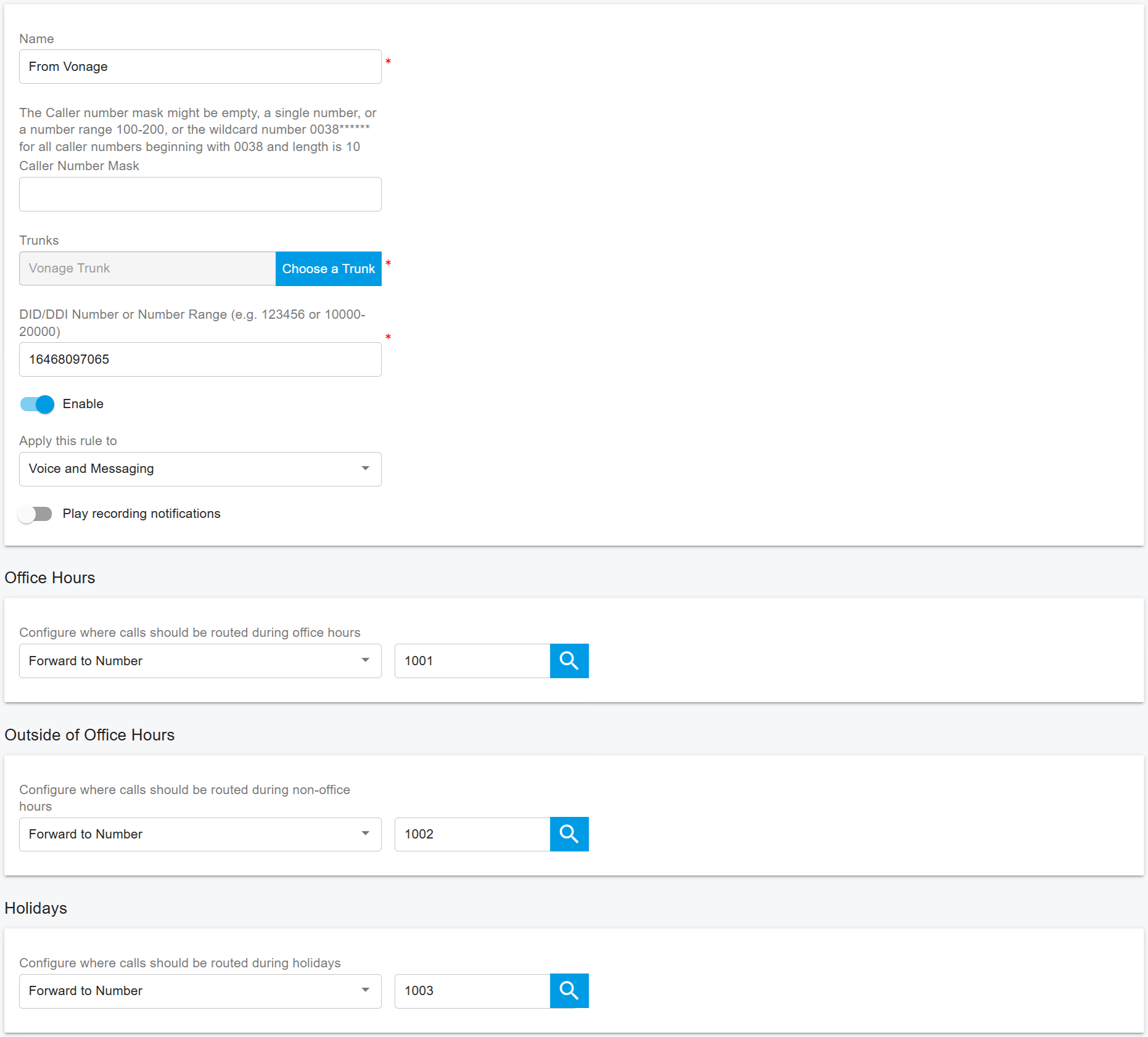
* **Name**\
Enter a descriptive name for the inbound rule.
* **Choose a Trunk**\
Select the SIP trunk associated with the inbound calls.
* **DID/DDI Number or Number Range**\
Enter a single number or number range.
* The entered value **must be within the DID pool** assigned to the selected trunk.
* **Destination**\
Select the extension (or other destination) to which inbound calls should be routed.
4. Click **OK** to save the inbound rule.
***
### Advanced Routing Options (Optional)
Depending on your business requirements, you can further enhance the inbound rule by:
* Defining **office hours** or schedules
* Routing calls to **different destinations** based on time of day
* Sending calls to **voicemail** outside business hours
* Automatically **rejecting or dropping calls** when appropriate
For more details, refer to the article [Office Hours and Holiday Schedule](/portsip-communications-solution/portsip-pbx-administration-guide/30-office-hours-and-holiday-schedule.md).
For comprehensive information about inbound and outbound routing behavior, see [Call Route Management](/portsip-communications-solution/portsip-pbx-administration-guide/8-call-route-management.md).