> For the complete documentation index, see [llms.txt](https://support.portsip.com/llms.txt). Markdown versions of documentation pages are available by appending `.md` to page URLs; this page is available as [Markdown](https://support.portsip.com/portsip-communications-solution/portsip-pbx-administration-guide/5-user-management/user-groups.md).
# User Groups
User Groups allow you to group multiple users together and assign a shared **Outbound Caller ID** to the group.
When an **Outbound Rule** is configured with a **Caller User Group** condition, the PBX applies the group’s outbound caller ID to calls placed by members of that group. Specifically, the PBX replaces the **user part of the `From` header** in the SIP `INVITE` message with the **User Group’s Outbound Caller ID**.
This feature is commonly used to present a **department-level caller ID** (for example, Sales or Support) instead of individual extension numbers.
***
### Create a User Group
To create a user group:
1. Navigate to **Call Manager > User Groups**.
2. Click **Add**.
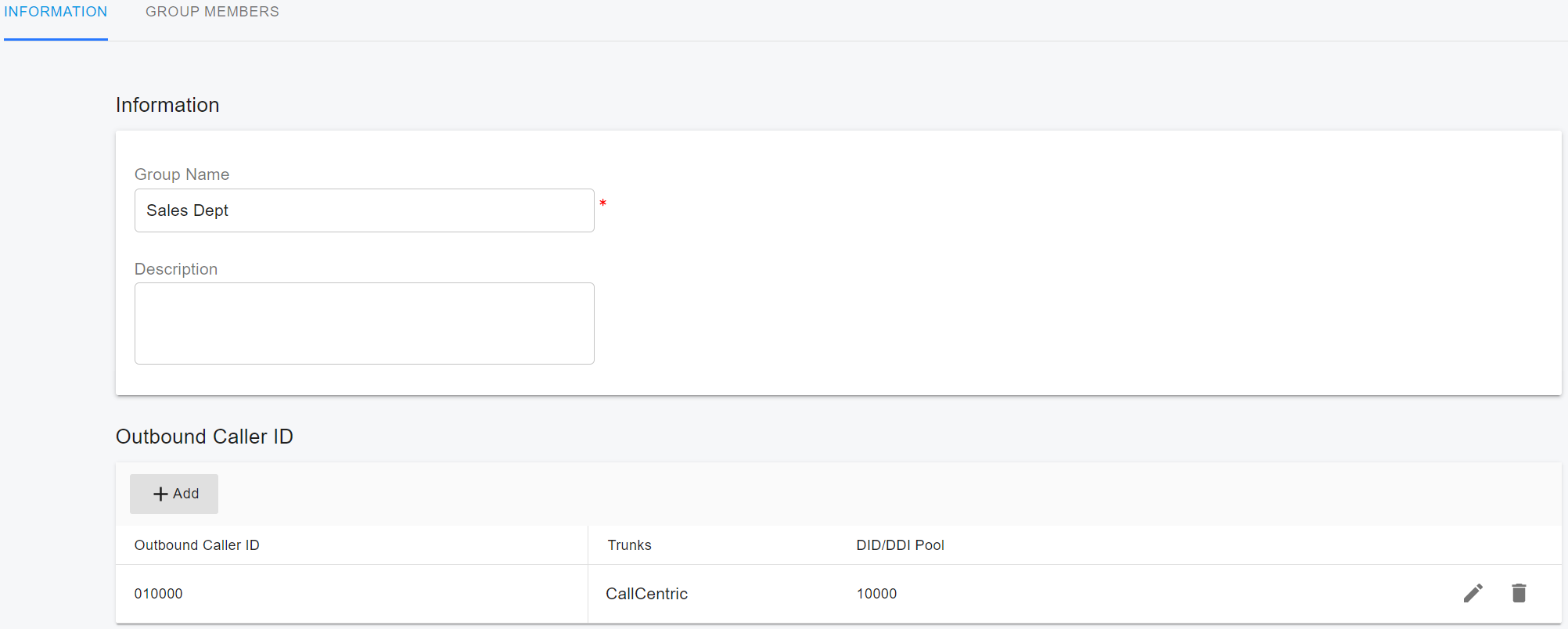
3. Enter a **Group Name**.
4. Assign an **Outbound Caller ID** and select the trunk to be used.
In the example below, a user group named **Sales Dept** is created, with an outbound caller ID of **010000** assigned on the **CallCentric** trunk.
***
### Create an Outbound Rule Using Caller User Group Criteria
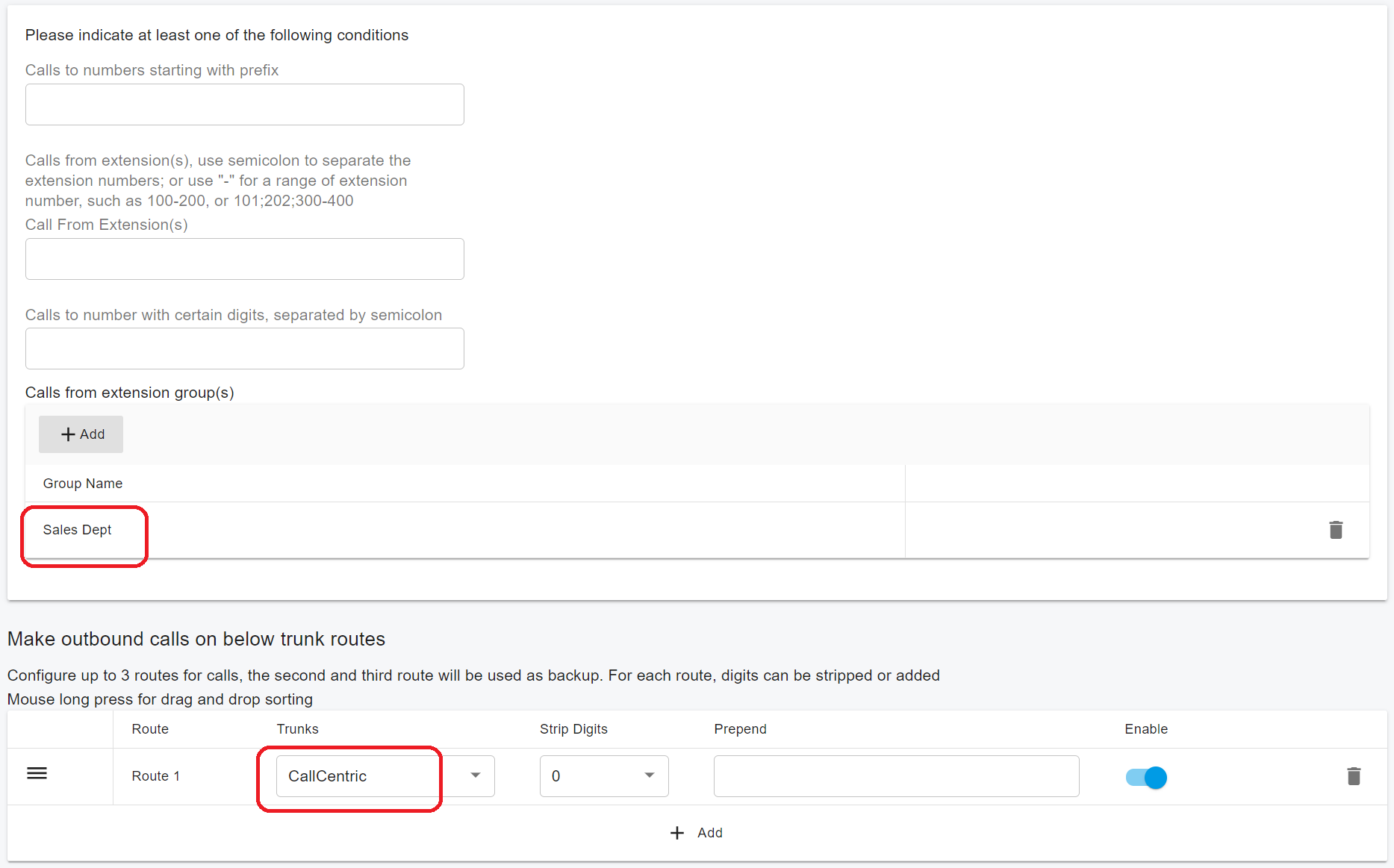
Next, create an outbound rule that uses the **Caller User Group** as a matching condition:
1. Go to **Call Manager > Outbound Rules**.
2. Create or edit an outbound rule.
3. Set the **Caller User Group** criterion.
4. Select the previously created **Sales Dept** user group.
***
### Call Behavior
When an extension that belongs to the **Sales Dept** group places a call that matches this outbound rule:
* The PBX uses the **group’s outbound caller ID**.
* The outbound caller ID is inserted as the **user part of the `From` header** in the SIP `INVITE` message.
* The call is routed according to the outbound rule and associated trunk.
This ensures consistent, department-level caller identification for outbound calls.